


Using the Linguator plugin, you can easily translate your page/post via Google Gemini.
Why Use Gemini AI?
Google Gemini is an advanced AI model that delivers accurate and context-aware translations by understanding the meaning, tone, and structure of your content rather than simply translating words.
Gemini is designed to understand context, tone, and sentence structure, allowing it to produce translations that feel natural rather than literal. It performs especially well when handling large volumes of content, making it suitable for websites, documentation, and dynamic content.
Note: Google Gemini AI Translator is available in WordPress 7.0 and above.
Translate Automatically via Google Gemini
Follow the steps below to automatically translate content using Google Gemini:
- Edit the Page or Post that you want to translate.
- From the sidebar of the page editor, access the language settings tab.
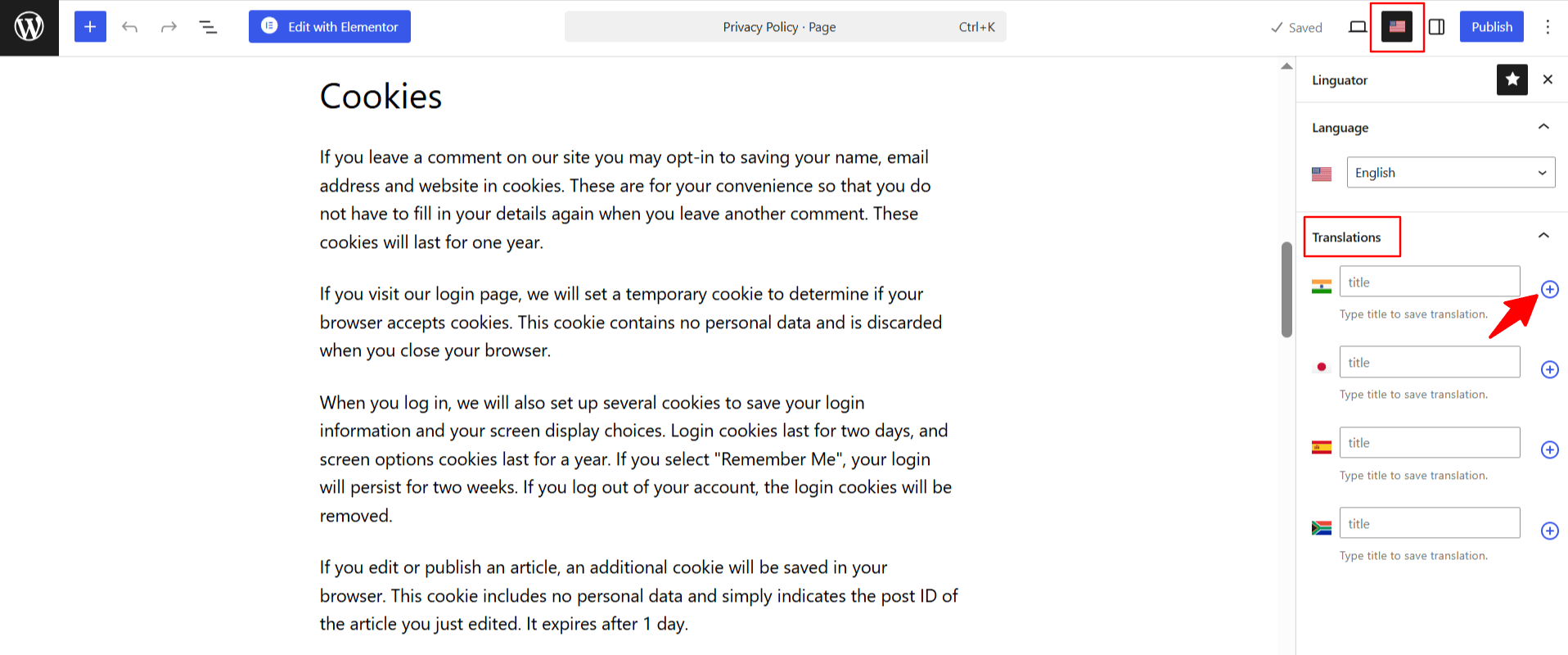
- Choose the language in which you want your page to be translated.
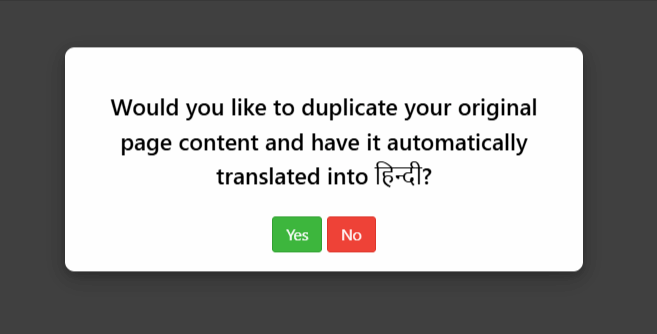
- A prompt will appear asking if you want to duplicate the original page content. Select “Yes”.
- Next, a new box titled Select Translation Provider will appear. Choose Google Gemini.
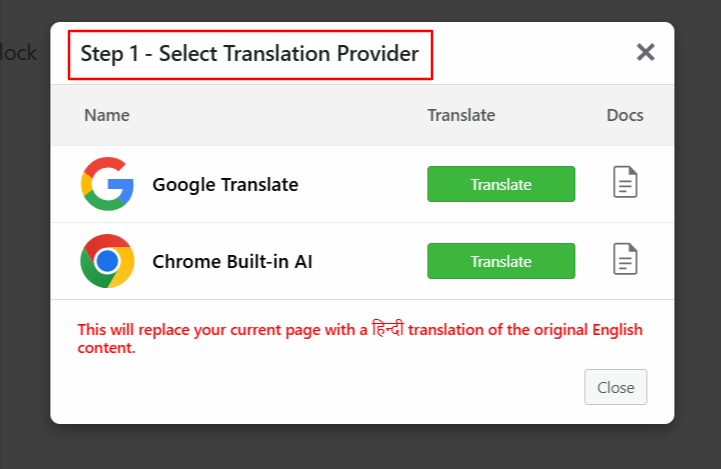
Note: If the selected translation provider is disabled, enable it from Linguator > Settings > AI Translation before starting the translation process.
- Once selected, a tab containing both the source text and translation text will appear.
- Click Translate. The translation process will begin, and wait for a few minutes.
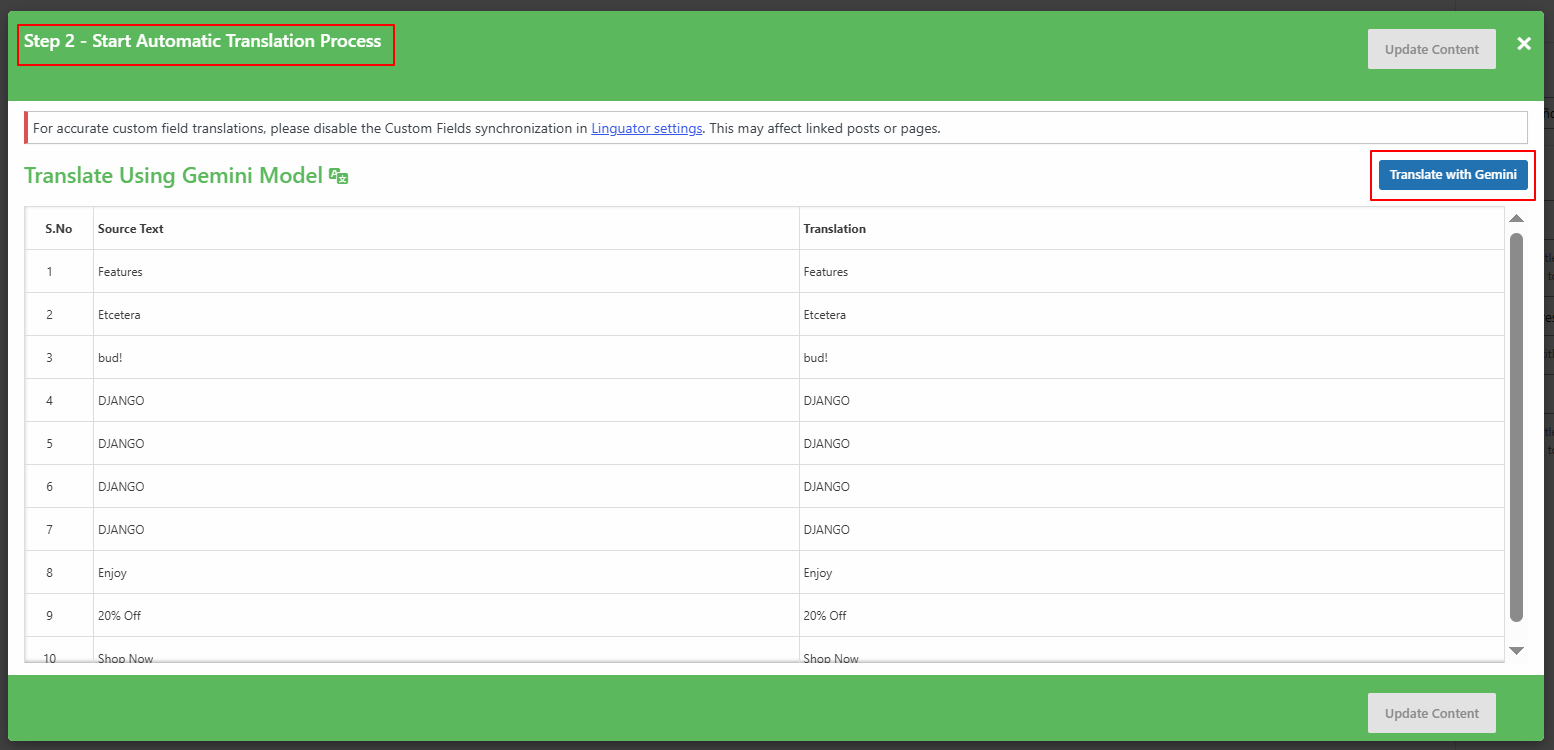
- After the translation completes, click Update Content.
- All content of the website will be translated into a selected language with a single click.
- Now, preview it and make manual edits to adjust translations for better accuracy.
That’s it! You have successfully translated your page/post automatically via the Google Gemini using Linguator.