


Using Linguator plugin, you can easily translate your page/post via Google Translate widget.
Why Use Google Translate Widget?
The Google Translate Widget is a simple and effective way to translate your website without any manual efforts or extra cost. It allows you to instantly translate your content into the preferred language using Google’s translation engine.
Translate Automatically via Google Translate
Follow the steps below to automatically translate content using Google Translate Widget:
- Edit the Page or Post that you want to translate.
- From the sidebar of the page editor, access the language settings tab.
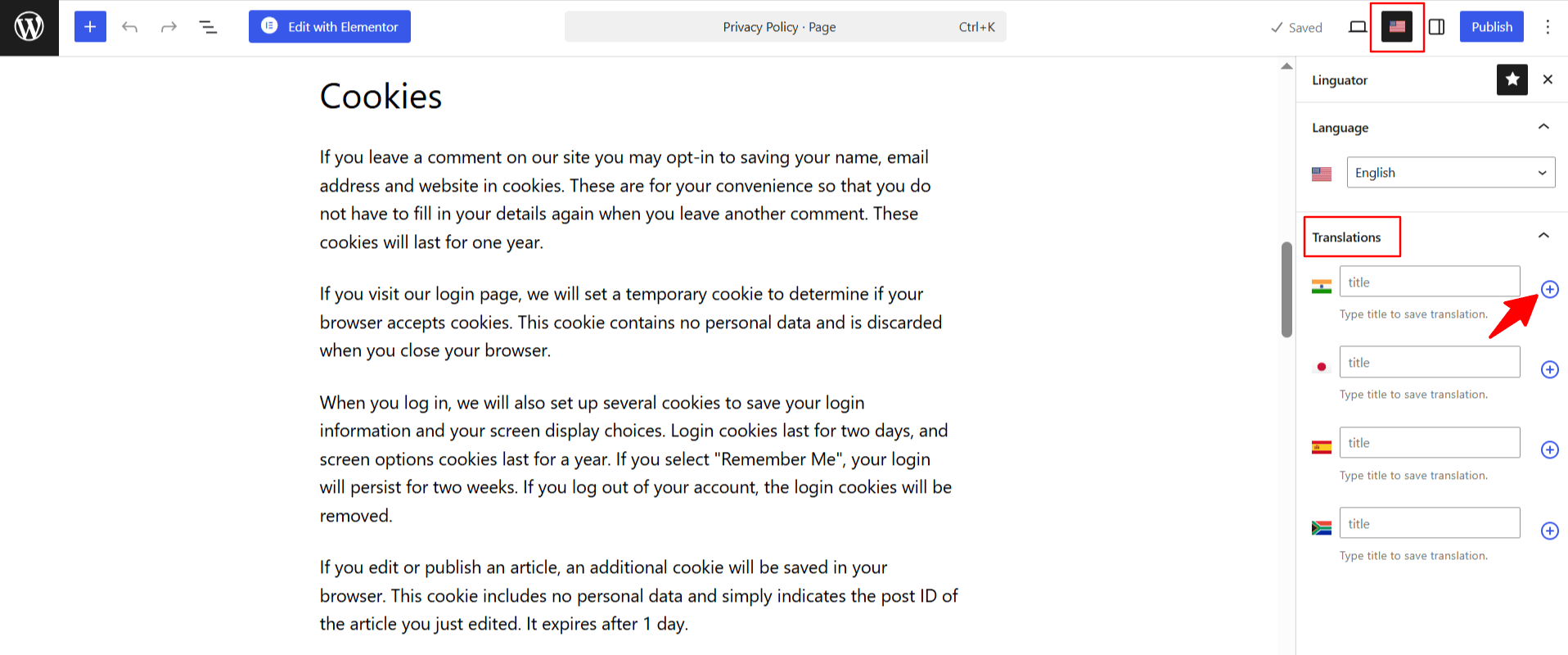
- Choose the language in which you want your page to be translated.
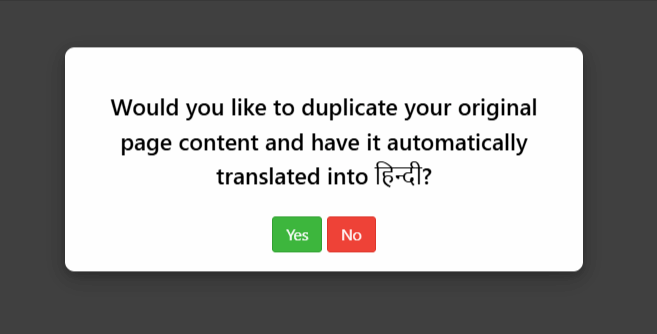
- A prompt will appear asking if you want to duplicate the original page content. Select “Yes”.
- Next, a new box titled Select Translation Provider will appear. Choose Google Translate.
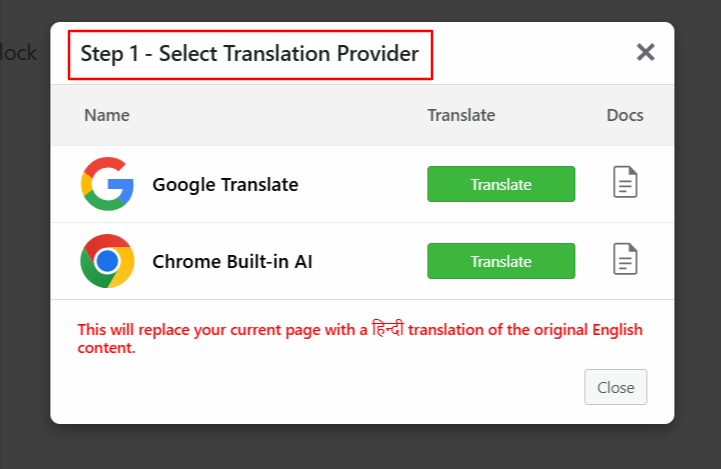
Note: If the selected translation provider is disabled, enable it from Linguator > Settings > AI Translation before starting the translation process.
- Once selected, a tab containing both the source text and translation text will appear.
- Click Translate. The translation process will begin, and wait for a few minutes.
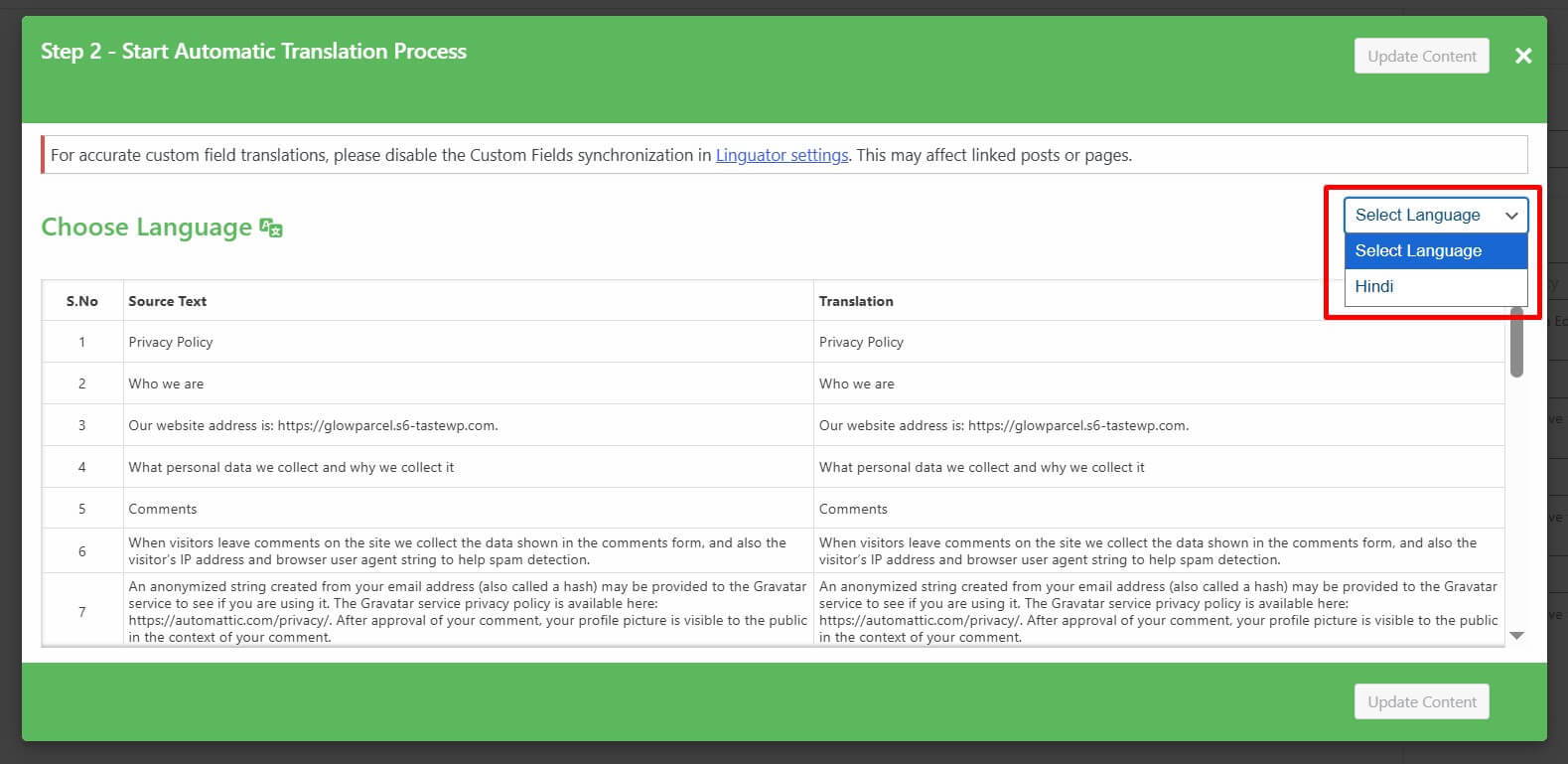
- After the translation completes, click Update Content.

- All content of the website will be translated into a selected language with a single click.
- Now, preview it and make manual edits to adjust translations for better accuracy.
That’s it! You have successfully translated your page/post automatically via the Google Translate Widget using Linguator.