

To use Gemini AI as the translation provider via Linguator, you need to generate and add your Gemini AI API key inside the plugin settings.
Step 1: Open Google AI Studio
- Visit the Google AI Studio website.
- Sign in with your Google account, or create a new account if needed.
Step 2: Generate Your Gemini API Key
- Navigate to the API Keys section.
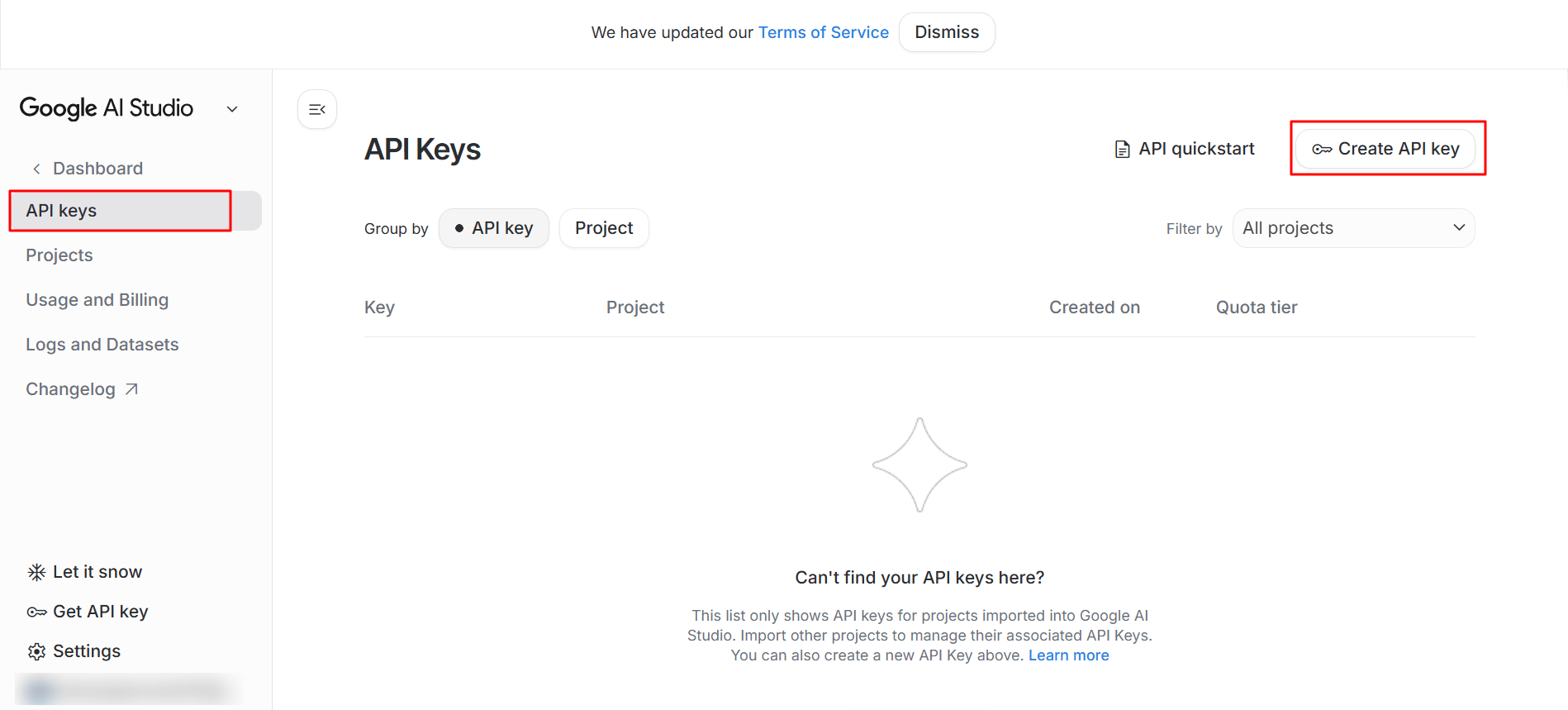
- Click Create API Key.
- Enter all the required details.
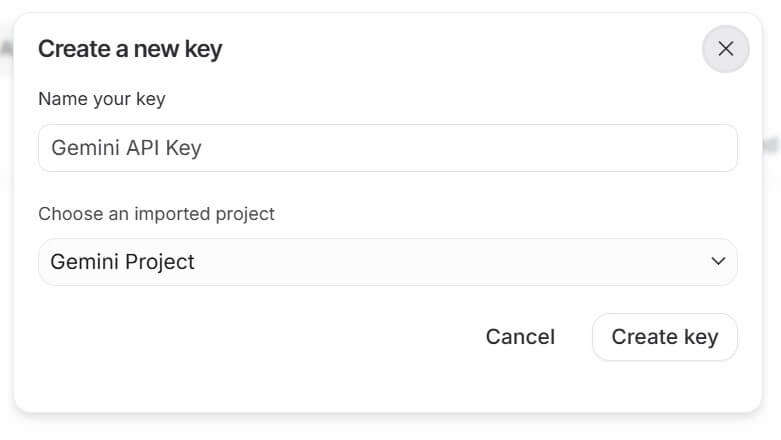
- Copy the generated API key and store it securely.
Step 3: Add the Gemini API Key
- From your WordPress Dashboard, navigate to Linguator > Settings > API Keys.
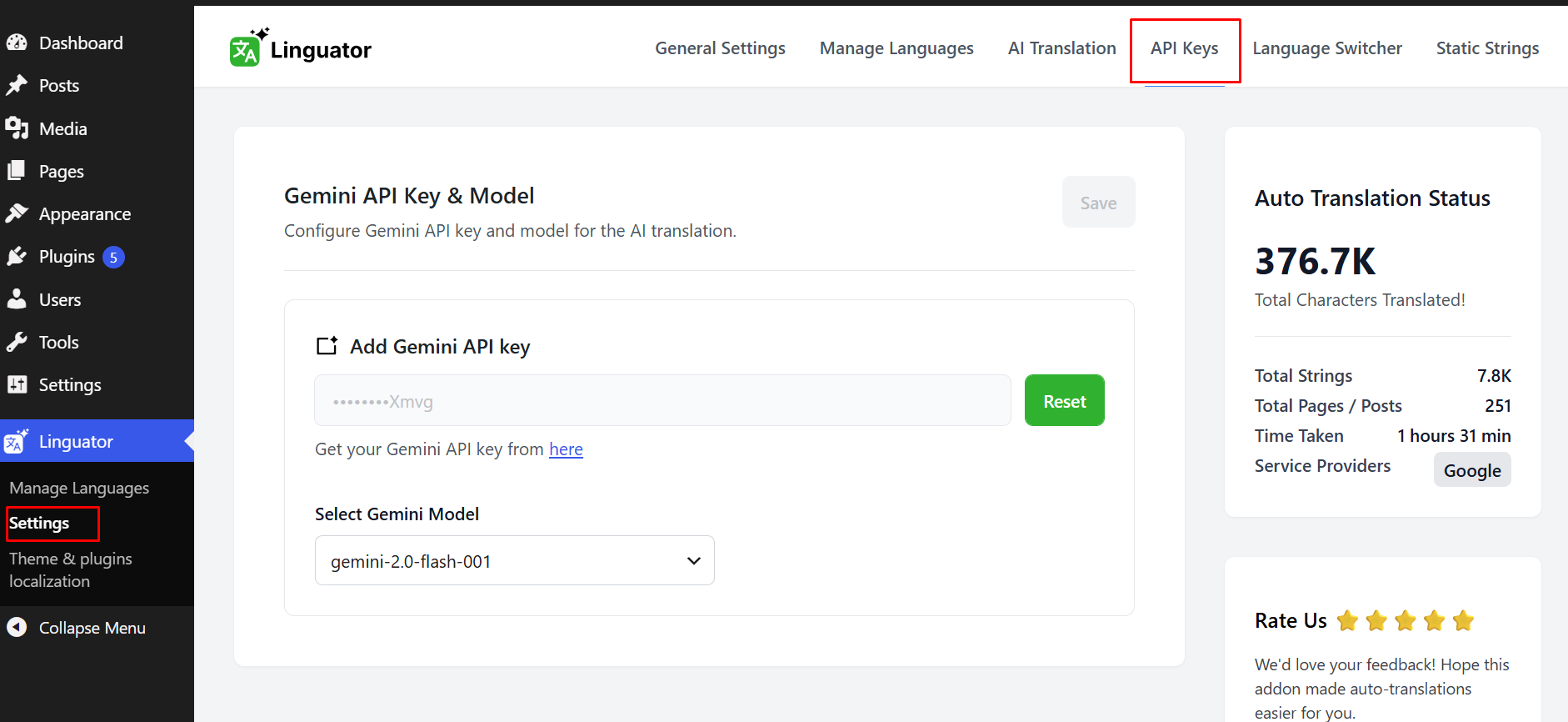
- Locate the Gemini AI API Key field.
- Paste your copied Gemini AI API key into this field.
- Click Save Changes to apply the configuration.
Once saved, your website will be ready to use Gemini AI for AI-powered translations using the Linguator plugin.