ELEMENTOR MULTILINGUE
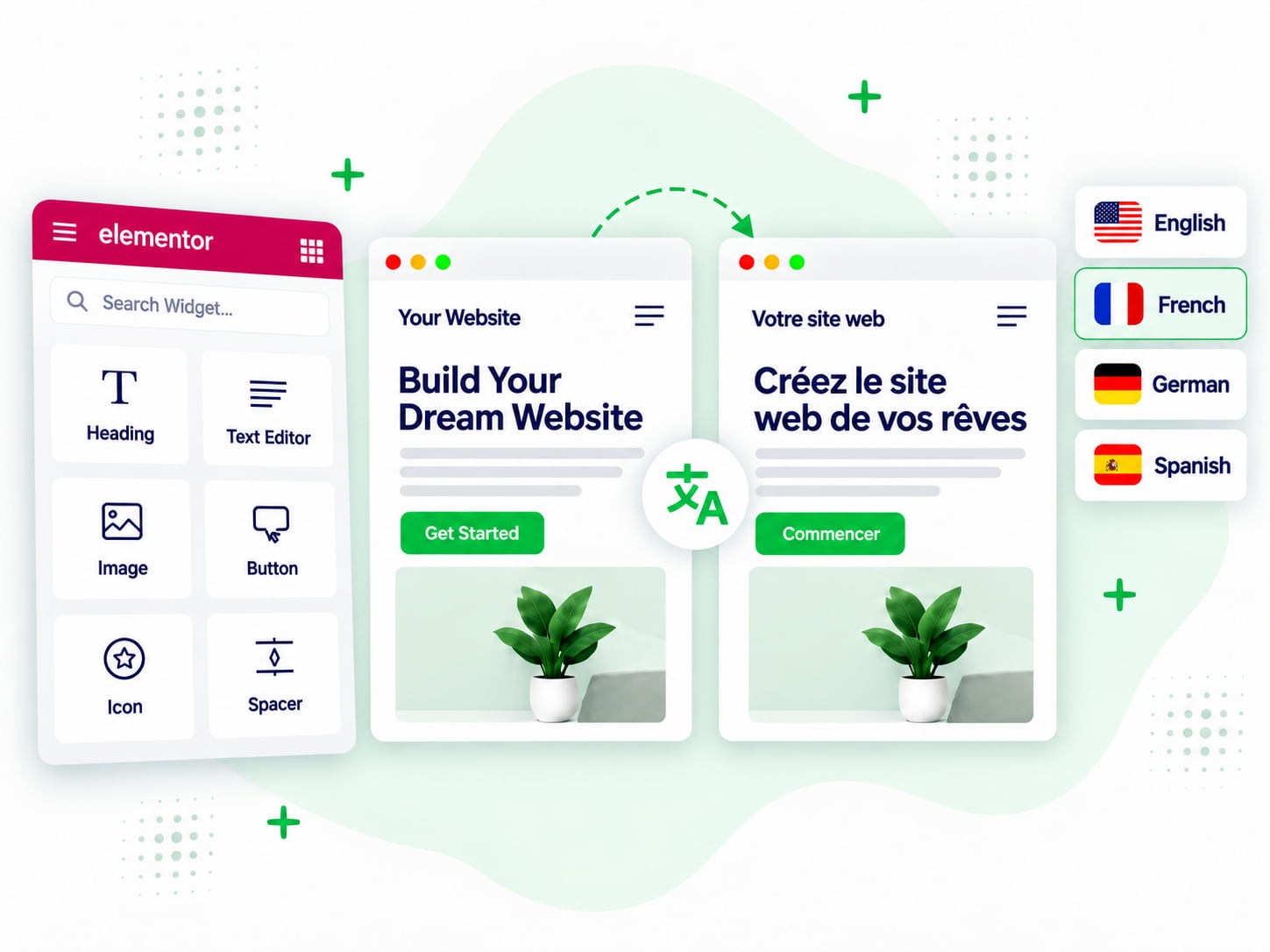
Traduci le tue pagine Elementor e i contenuti dei widget supportati in più lingue con Linguator, mantenendo il layout, gli stili e la struttura delle pagine Elementor esistenti.
Design preservato
Per pagina
Di base e di terze parti
Traduzione delle pagine
Un processo semplice
Traduci i contenuti delle pagine Elementor senza ricreare lo stesso design per ogni lingua.
01
01
Seleziona la lingua in cui vuoi tradurre i contenuti Elementor.
02
02
Scegli una delle opzioni di traduzione disponibili e avvia la demo.
03
03
Una volta completata la traduzione, visualizza subito un’anteprima dei contenuti tradotti.
Ciao → Hola
Funzionalità
Traduzione per Elementor
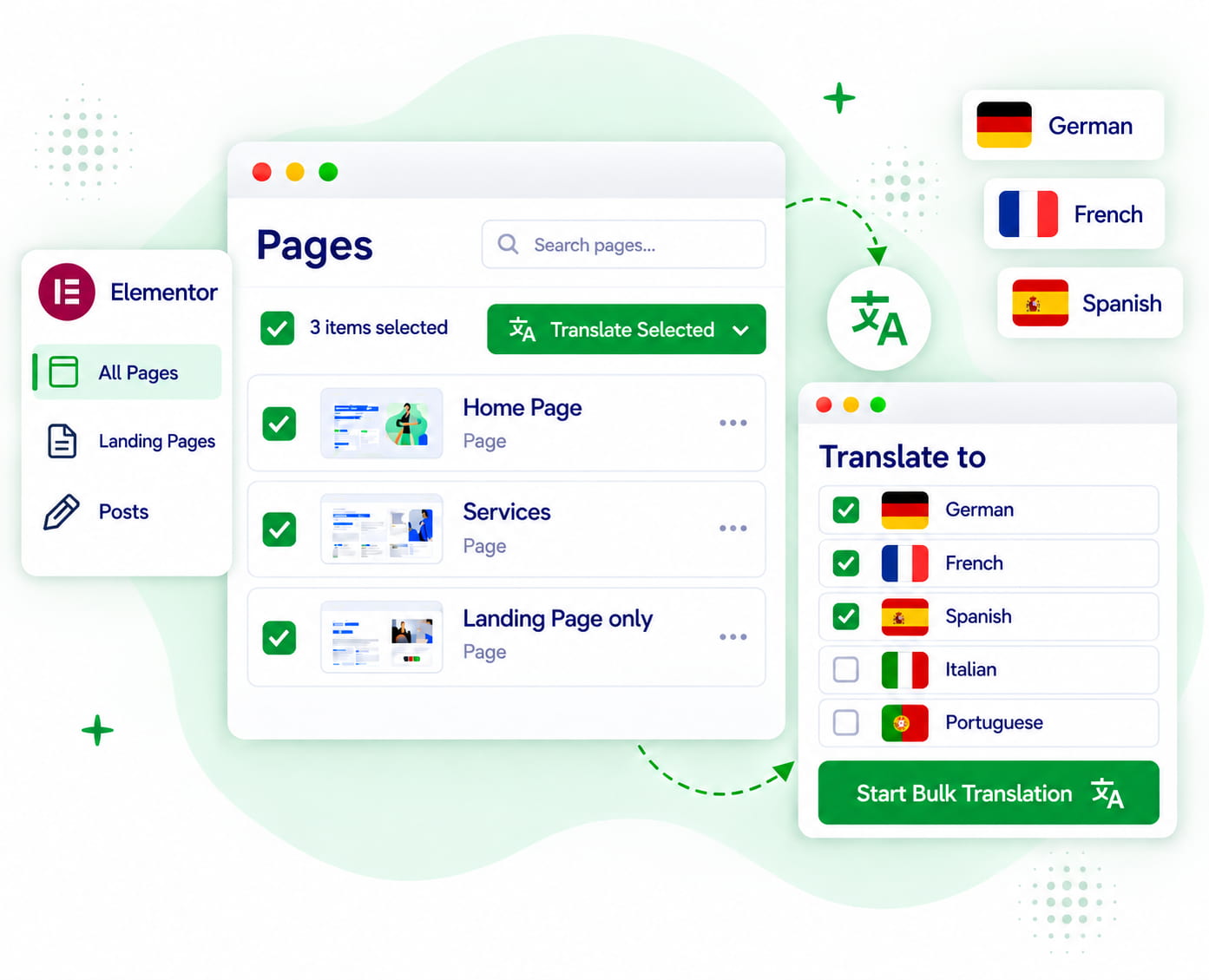
Bulk Translation
Linguator non si limita a tradurre le singole pagine Elementor. Scopri altri strumenti utili per gestire un sito WordPress multilingue.
Traduci i blocchi Gutenberg supportati mantenendo intatti la struttura dei blocchi e il layout delle pagine esistenti.
Traduci blocchi, widget o sezioni specifici senza tradurre l’intera pagina.
Aggiungi un Language Switcher per consentire ai visitatori di passare facilmente da una versione linguistica all’altra del tuo sito.
Traduci i contenuti in tempo reale usando l’AI integrata in Chrome, senza ricorrere ad API esterne.
Definisci i termini e le traduzioni da preferire per mantenere coerenti i nomi dei brand, i termini di prodotto e le espressioni chiave nelle diverse lingue.
Traduci categorie, tag e taxonomy personalizzate supportate per mantenere organizzati i tuoi contenuti multilingue nelle diverse lingue.

 Era proprio quello di cui avevo bisogno! Per fortuna esisteva un plugin così: dovevo tradurre diverse etichette nel front-end, fantastico! Grazie a chi ha creato il plugin!
 Molto facile da usare e la traduzione è piuttosto veloce. Il mio design realizzato con Elementor rimane invariato, il che è davvero utile.
 Ha tradotto efficacemente le stringhe di Byddyboss / BuddyPress in un secondo. E pensare che avevo passato ore a scaricare altri plugin e a cercare di reinventare la ruota! Grazie mille ☺️
 Finalmente un plugin di traduzione che ha senso. Posso tradurre le pagine mantenendo lo stesso layout di Elementor.
 Finora è l'unico plugin di traduzione (gratuito) che consente di tradurre in blocco, anche i prodotti Woo, e funziona piuttosto bene. Davvero un ottimo lavoro, fa risparmiare tempo!
 Lo uso per il mio sito web e finora funziona tutto bene: è molto più semplice che tradurre manualmente.

Domande frequenti
Non trovi la risposta che cerchi? Il nostro team di supporto è pronto ad aiutarti.

Hai qualche difficoltà? Contatta il nostro team: ti aiuterà in modo rapido e cordiale.
La traduzione con IA per Elementor ti permette di tradurre in altre lingue il contenuto testuale delle pagine create con Elementor senza dover ricreare manualmente ogni pagina. Linguator duplica la pagina WordPress e traduce i contenuti Elementor supportati, mantenendo la struttura esistente della pagina.
Per tradurre le tue pagine Elementor con Linguator, apri le pagine di WordPress, scegli la pagina da tradurre, seleziona la lingua di destinazione e un servizio di traduzione supportato, quindi avvia la traduzione. Linguator crea la pagina tradotta, che puoi rivedere e modificare prima di pubblicarla.
Linguator è progettato per mantenere la struttura e lo stile esistenti delle pagine Elementor durante la traduzione dei contenuti supportati.
A seconda della configurazione di WordPress e del browser, Linguator supporta Google Translate, Chrome Built-in AI, Edge Built-in AI e Gemini AI.
Sì. Linguator include Bulk Translation, che ti permette di selezionare più pagine o articoli supportati e tradurli in una lingua a tua scelta in un’unica operazione.
Sì. La versione tradotta viene creata come contenuto WordPress modificabile. Puoi aprire la pagina Elementor tradotta e perfezionare manualmente il testo.
No. Linguator è un plugin multilingue per WordPress. Oltre alla traduzione di Elementor, offre la gestione delle lingue, la Bulk Translation, i Language Switcher, gli URL multilingue, la gestione della SEO, la traduzione dei custom post type, delle taxonomy e dei media, oltre ad altre funzionalità multilingue.
Manage your preferences. Blocking some cookies may affect site features. You can find more information in our Cookie Policy and Privacy Policy.
Your browser is sending a Global Privacy Control signal, so advertising cookies stay off and that choice cannot be switched on here. Everything else is still yours to decide.
Essential cookies for site functionality, security, and your basic preferences. Always on.
| Cookie | Set by | Kept for |
|---|---|---|
cppb_consent
Stores the visitor's consent decision so the banner is only shown once.
|
CP Cookie Banner | configurable (default 365 days) |
Remember choices you make so the site works the way you expect.
| Cookie | Set by | Kept for |
|---|---|---|
cppt_banner_dismissed
Remembers that you closed the sale banner, so it stays closed on the other pages you visit and in other tabs. Cleared when you close your browser. Contains only the name of the sale it applies to, and no identifier.
|
Cool Plugins — CP Pricing Table | Session |
cppt_buy_started
Remembers that you went to checkout during the current sale, so the prices on the page you left do not change behind you while you pay. Cleared when you close your browser. Contains only the name of the sale and which price was showing, and no identifier.
|
Cool Plugins — CP Pricing Table | Session |
cppt_offer
Remembers which sale offer you were shown during this visit, and whether its discount was applied, so the prices stay the same each time you reload a page instead of changing. Cleared when you close your browser. Contains no identifier.
|
Cool Plugins — CP Pricing Table | Session |
cppt_session
Marks the current browsing session, so that a visit arriving from another website is credited once per session rather than on every page view. Contains no identifier.
|
Cool Plugins — CP Pricing Table | Session |
lmat_language
Remembers the language the visitor chose, so the site opens in it next time.
|
Cool Plugins — Linguator | 1 year |
wp-settings-1
Stores user admin preferences.
|
WordPress core | 1 year |
wp-settings-time-1
Stores timestamp of WordPress admin preference change.
|
WordPress core | 1 year |
Google Analytics and Microsoft Clarity show us how visitors use the site, including recordings of clicks and scrolling, so we can fix what confuses people. Not used for advertising.
| Cookie | Set by | Kept for |
|---|---|---|
_clck
Persistent user identifier for session linking.
|
Microsoft Clarity | 1 year |
_clsk
Connects pageviews into a single session recording.
|
Microsoft Clarity | 1 day |
_ga
Distinguishes unique users.
|
Google Analytics | 2 years |
_ga_942V83ZG8Q
Persists session state per GA4 property.
|
Google Analytics 4 | 2 years |
Used to deliver and measure ads on this site and across the web.
| Cookie | Set by | Kept for |
|---|---|---|
_fbp
Identifies browsers for ad delivery and site analytics.
|
Meta (Facebook) Pixel | 90 days |
_gcl_au
Stores conversion linker information for Google Ads.
|
Google Ads | 90 days |
_rdt_uuid
Unique visitor identifier for Reddit ad attribution.
|
Reddit Pixel | 3 months |
_twpid
Identifies the browser to X so ad conversions can be attributed.
|
X (Twitter) Pixel | Session |
_twsid
Session identifier used by the X conversion pixel.
|
X (Twitter) Pixel | Session |